
BASIS - Week 1 Foundations Architecture and Core Operations / Background Jobs, Spool and Operational Services
Result :
Background Jobs, Spool and Operational Services
Introduction
Purpose
This chapter explains the operational services that execute business work outside an interactive dialog step: background jobs, spool and output processing, asynchronous updates, logical locks and batch-input sessions. These services are connected. A background job may create spool output and update requests; a failed update can leave business data incomplete; a lock can block a job; and a spool problem can make a successful job appear unsuccessful to the user. BASIS administration therefore begins with the business result and follows evidence through the correct technical layer.
Audience
The chapter is written for SAP BASIS administrators and production-support engineers who schedule or monitor jobs, administer output devices, analyze SM13/SM12 issues and support batch-input processing. The procedures are suitable for training and controlled operations. Exact screens, authorizations and scheduler frameworks vary by release and landscape.
Learning Objectives
- Explain background scheduler and work-process behavior, job steps, start conditions and statuses.
- Create, monitor and validate jobs through SM36 and SM37.
- Distinguish a spool request from one or more output requests and trace output through TemSe and the host spooler.
- Configure and test output devices in SPAD without exposing confidential output.
- Analyze update failures in SM13 and logical locks in SM12 without damaging business consistency.
- Monitor and safely process batch-input sessions in SM35.
- Apply evidence-first troubleshooting and validate the original business outcome.
Scope and Version Context
The source training uses classic R/3 transactions and concepts that remain important in AS ABAP. Current systems may also use application job frameworks, Fiori apps, SAP BPA/Redwood or other external schedulers, output management and bgRFC-based services. This chapter focuses on the stable BASIS architecture and classic administration while labeling release-dependent behavior.
Background Processing Architecture
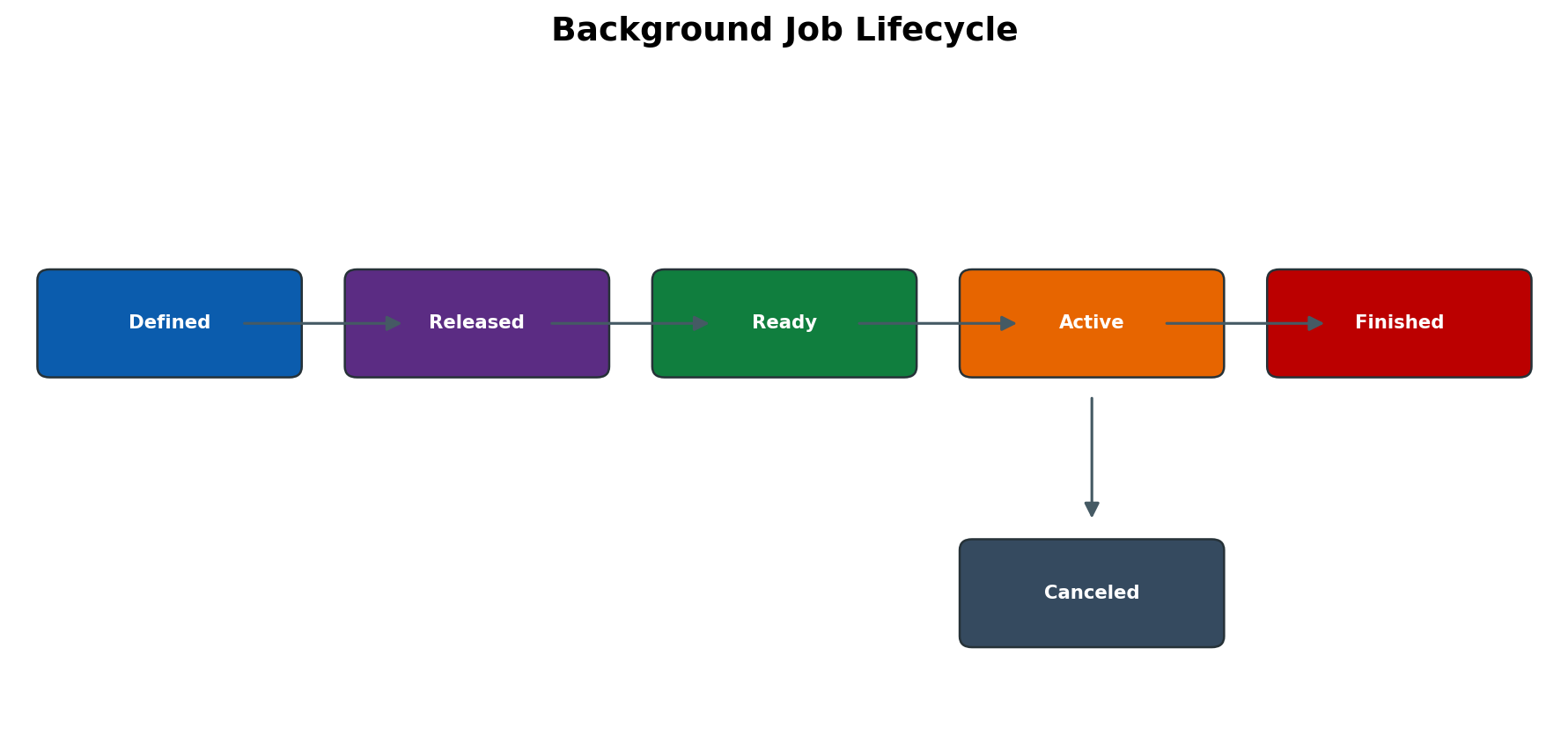
Figure 5.1 Background job lifecycle
Why Background Processing Is Used
Background processing executes long-running, resource-intensive, periodic or unattended work without holding an interactive session. It supports reports, interfaces, archiving, month-end processing, housekeeping and mass updates. Moving a slow transaction to background does not fix inefficient code or poor SQL; it changes execution channel and scheduling. Runtime, database load, locks, memory and downstream services must still be controlled.
Job Components and Execution Identity
A job has a name, priority/class, start condition and one or more ordered steps. Each step identifies an ABAP program and variant, external command or external program, and an execution user. The step user supplies authorizations during execution. A job created by an administrator does not safely justify using an over-privileged account. Ownership, step user and scheduling user can be different and must be recorded.
Start Conditions and Dependencies
A job can start immediately after release, at a date/time, after another job, after an event or when triggered by an external scheduler. Periodic jobs calculate future runs according to their definition. Time zones, factory calendars, predecessor outcome and event delivery can change actual start time. Define missed-run behavior and operational ownership rather than assuming a delayed job will always catch up safely.
Job Classes Servers and Work Processes
Job class A represents highest-priority critical work, B medium and C normal priority. Class A usage must be governed because it can displace ordinary workload. Background work processes execute steps. A job can target a specific instance or use a server group where supported. If no suitable background process is free, a released job becomes Ready and waits. Adding processes without sizing can shift contention to memory, CPU or database.
Job Status Model
| Status | Meaning | Administrative interpretation |
| Scheduled | Job definition exists but start condition/release is incomplete | Review definition; it is not eligible to run. |
| Released | Start condition is valid and job is eligible when condition is met | Confirm planned date/event/dependency. |
| Ready | Start condition met; waiting for a background work process | Check eligible servers, BTC capacity, operation mode and scheduler. |
| Active | A background process is executing a step | Check runtime, process action, DB/lock/RFC wait before intervention. |
| Finished | All steps ended normally at scheduler level | Validate job log, spool and business result. |
| Canceled | Job or step terminated | Read job log and correlated dump/system/application evidence. |
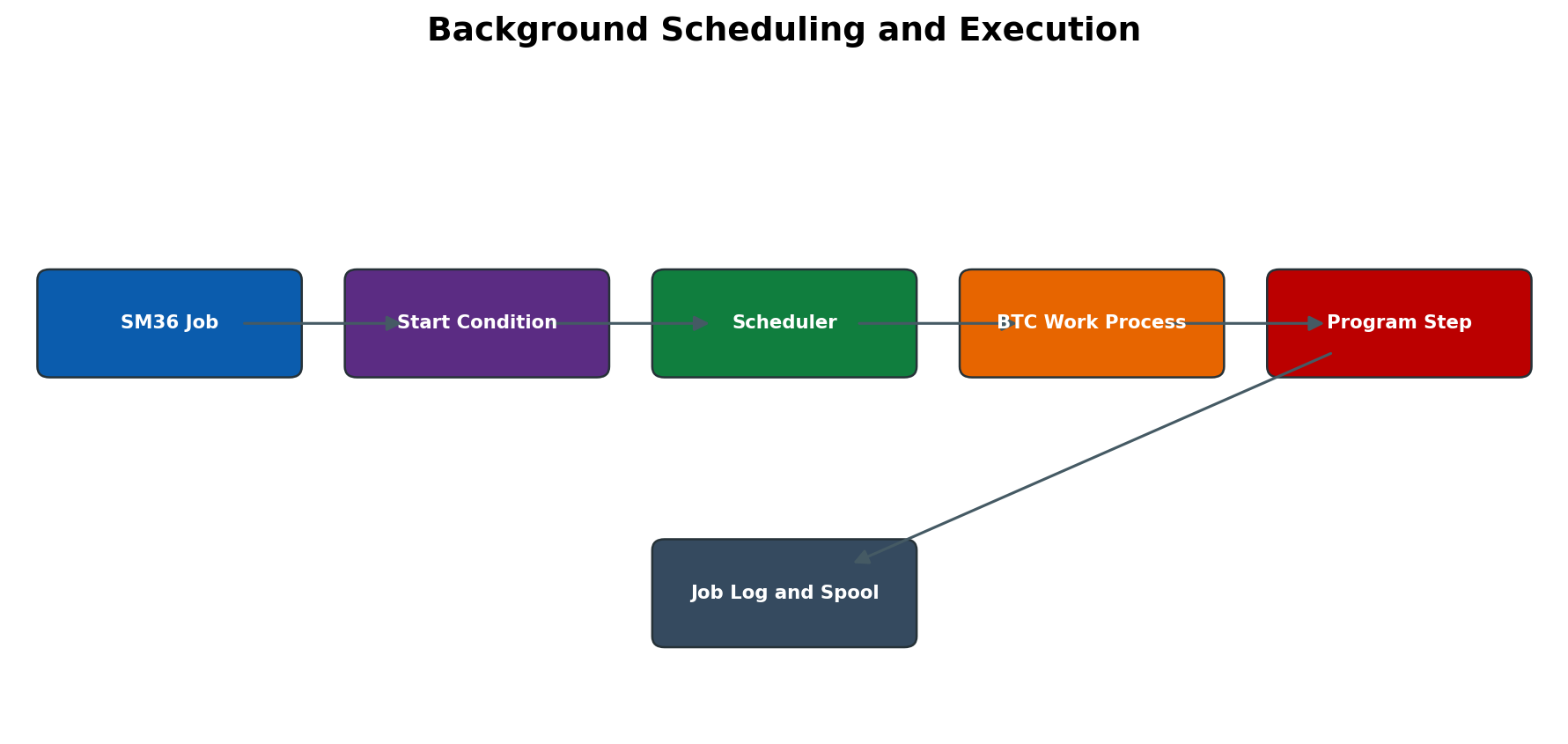
Figure 5.2 Background scheduling and execution
Job Definition and Scheduling
SM36 Job Creation
SM36 defines the job header, priority, target and steps, then assigns a start condition. A job is not operationally complete until it is saved, released as required and visible with the expected status in SM37. Use meaningful names that include application or process ownership without embedding confidential values.
ABAP Program External Command and External Program Steps
An ABAP step executes a report with an optional variant. An external command references an SM69-defined command with controlled OS execution; an external program step can be more direct and higher risk. Restrict external execution authorizations and command definitions. Validate operating-system user, host target, command parameters, exit code and logs. Do not place passwords in command parameters.
Variants and Selection Data
A variant stores report selection values and may contain dynamic date calculations. Before scheduling, execute the report interactively with representative scope and confirm the variant does not select all clients/companies unintentionally. Protect variants used by critical jobs, document owner and transport behavior, and retest after program changes.
Periodic Event and Successor Jobs
Periodic scheduling creates future runs according to the recurrence. Event-based jobs depend on event creation and scheduler reaction. Successor chaining can use completion semantics that do not guarantee business success. Prevent overlapping runs with application locks, predecessor checks or scheduler design. Define whether a failed predecessor stops the chain and how operations restarts it.
Target Server and Server Group Design
Hard-coding one instance can create a single point of capacity failure and may be invalid after maintenance. Server groups enable controlled distribution where supported. Dedicated batch instances can isolate workload, but database and shared services remain common dependencies. Test failover and ensure jobs do not silently run on an undersized dialog instance.
Job Monitoring and Control
SM37 Selection and Evidence
Select by job name, user, status and a precise time window. Wildcard searches across long periods can be expensive. Record job name, job count, scheduled/start/end times, status, step, program, variant, target server and execution user. The job count distinguishes jobs with identical names.
Job Log Spool and Runtime Analysis
The job log records scheduler messages and step completion. It may reference a spool request or application log. For canceled ABAP steps, correlate ST22 by timestamp/user/server. For long active jobs, use SM50/SM66, DB/SQL tools, locks, RFC monitors and application logs. A job log that says finished may still contain business-level warnings; validate output and application documents.
Cancel Release Copy Repeat and Delete Controls
Cancel only after determining whether the job is progressing, waiting and safe to interrupt. Cancellation can leave application state that requires supported cleanup. Releasing a scheduled job makes it eligible; repeating a canceled job can duplicate postings; copying a job copies definitions that may include old users, variants or server targets. Deletion removes evidence and should follow retention policy.
Job Retention and Housekeeping
Old job metadata and logs require regular supported housekeeping using release-appropriate reports, commonly the standard job deletion report with conservative variants. Retain financial, audit, security and incident evidence according to policy. Spool and application logs may have separate retention. Test housekeeping selection in non-production and monitor runtime/database impact.
Spool Architecture and Administration
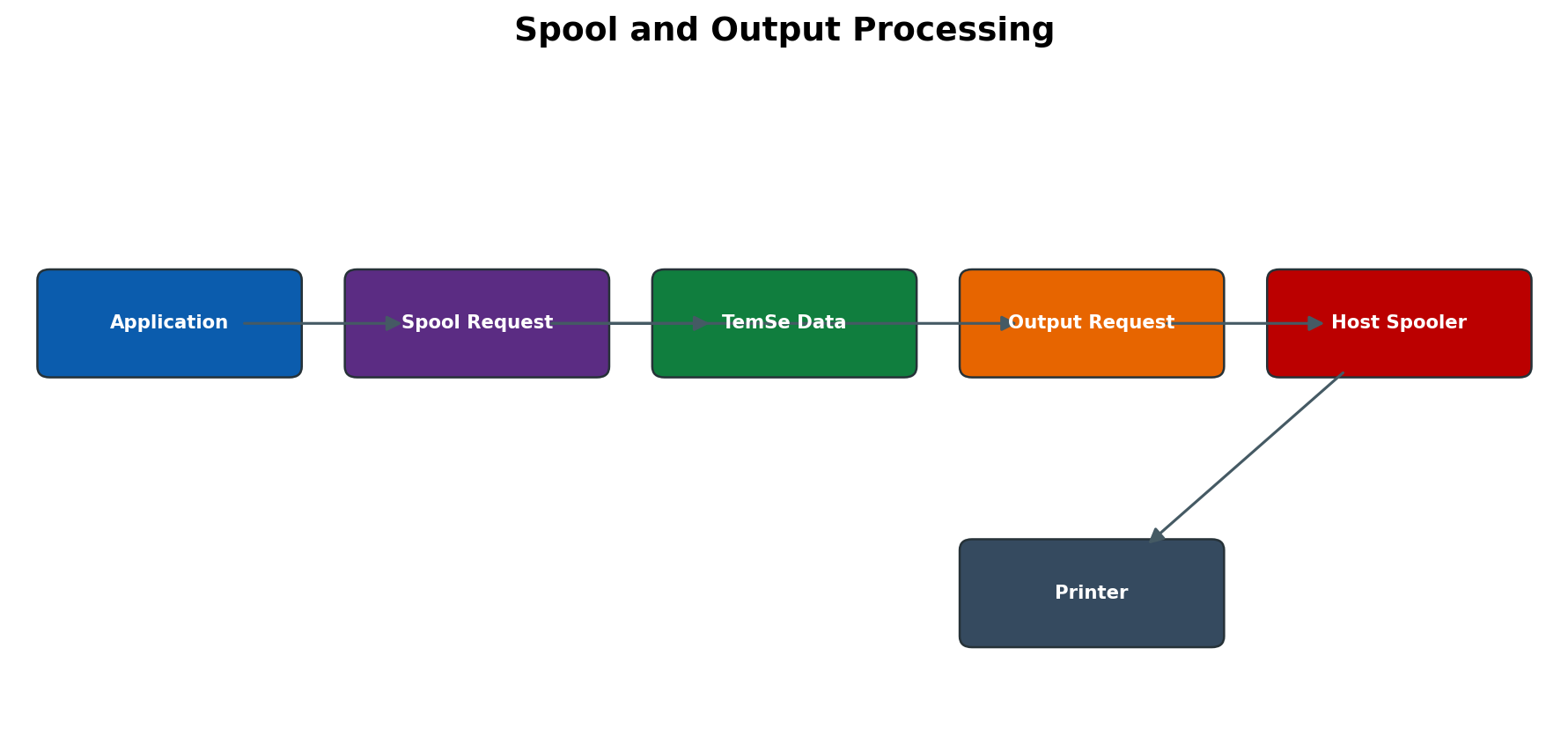
Figure 5.3 Spool and output processing
Spool Request and Output Request
A spool request represents formatted output stored by SAP. An output request is an attempt to send that spool content to an output device. One spool request can have multiple output requests, for example after a repeat print. A spool request without an output request may be intentional when print immediately is not selected. Diagnose the level that failed instead of calling every issue a printer error.
TemSe Storage and Spool Work Process
TemSe stores temporary sequential objects such as spool data, according to system configuration. The spool work process formats and transfers output requests to the host spool system or other access method. Capacity, consistency and retention affect the spool subsystem. Never delete TemSe files at OS level to free space; use supported SAP consistency and reorganization tools.
SPAD Output Device Configuration
SPAD defines output devices, device types, access methods, spool servers, destinations and attributes. The device type controls formatting and printer capability. The access method defines how the SAP spool server communicates with the host spooler, frontend or remote service. Copying a device without changing host/printer destination can send confidential output to the wrong location.
SP01 Monitoring and Output Logs
SP01 selects spool and output requests by user, date, device and status. Navigate from the spool request to its output requests and open the output log for the exact failure. Record spool number, output request, device, server, status and message. Previewing or reprinting output can expose sensitive business data and requires authorization.
Spool Servers Access Methods and Frontend Printing
A spool server is an application server or logical server responsible for output processing. Logical servers can provide alternate mapping or failover. Access methods vary by OS and architecture. Frontend printing depends on an active frontend session and is unsuitable for unattended background output. Production batch jobs should use a stable server-side output path.
Spool Housekeeping and Consistency
Schedule supported spool reorganization, commonly RSPO1041 or its current replacement/guidance, with approved retention. Use SPAD consistency checks for spool database/TemSe issues. Deletion selection must protect audit-required output. Monitor number range/capacity, TemSe growth, spool process availability and host spooler queues.
Update and Lock Operational Services
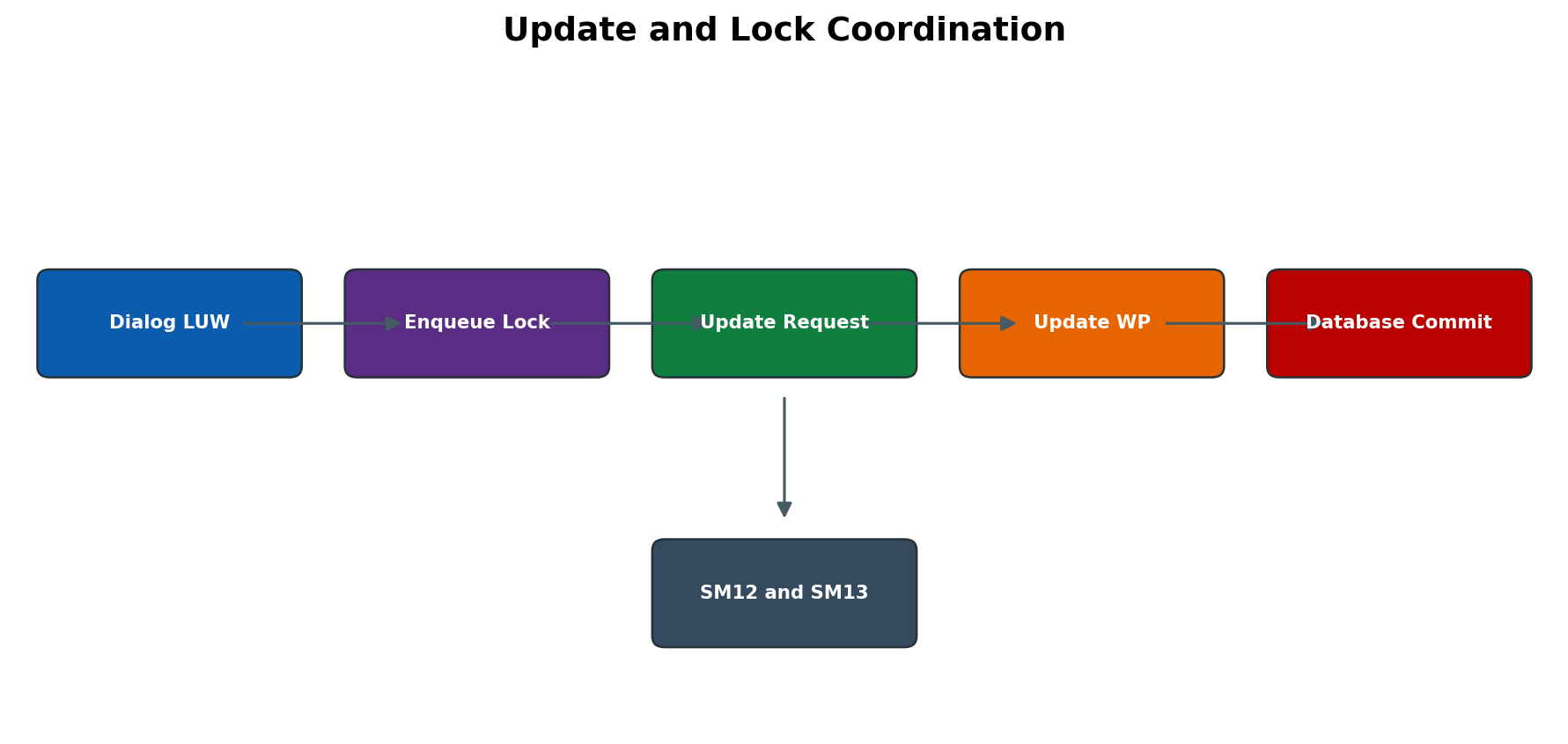
Figure 5.4 Update and lock coordination
SAP LUW and Update Processing
An SAP LUW can span dialog steps. Update function modules register changes; COMMIT WORK hands them to update processing. V1 updates are primary time-critical changes, while V2 updates are secondary and may follow. Update work processes execute the request and commit database work. A dialog success message does not guarantee that every asynchronous update finished.
SM13 Update Monitoring and Recovery
SM13 displays update records by client, user, time and status. For a terminated update, record transaction, update modules, error, user and timestamp. Correlate ST22, SM21, locks, database and application log. Determine whether partial business data exists. Repeat only when the application owner confirms the transaction is repeatable and will not duplicate or corrupt data.
Enqueue Locks and SM12
Logical locks protect business objects beyond a database transaction and are held in the central enqueue service. SM12 shows owner, client, table/lock object, arguments and age. A lock can be valid even when the user is not visibly active because a transaction, update or RFC still owns it. High age is evidence for investigation, not proof of staleness.
Safe Lock and Update Interventions
Before deleting a lock, check SM04/AL08, SM50/SM66, SM13, jobs, RFC/queues and application ownership. Confirm the business object and whether the session can complete or be ended normally. Delete only the exact confirmed stale lock through approved procedure. After update reprocessing or lock removal, reconcile the business document and monitor recurrence.
Batch Input Administration
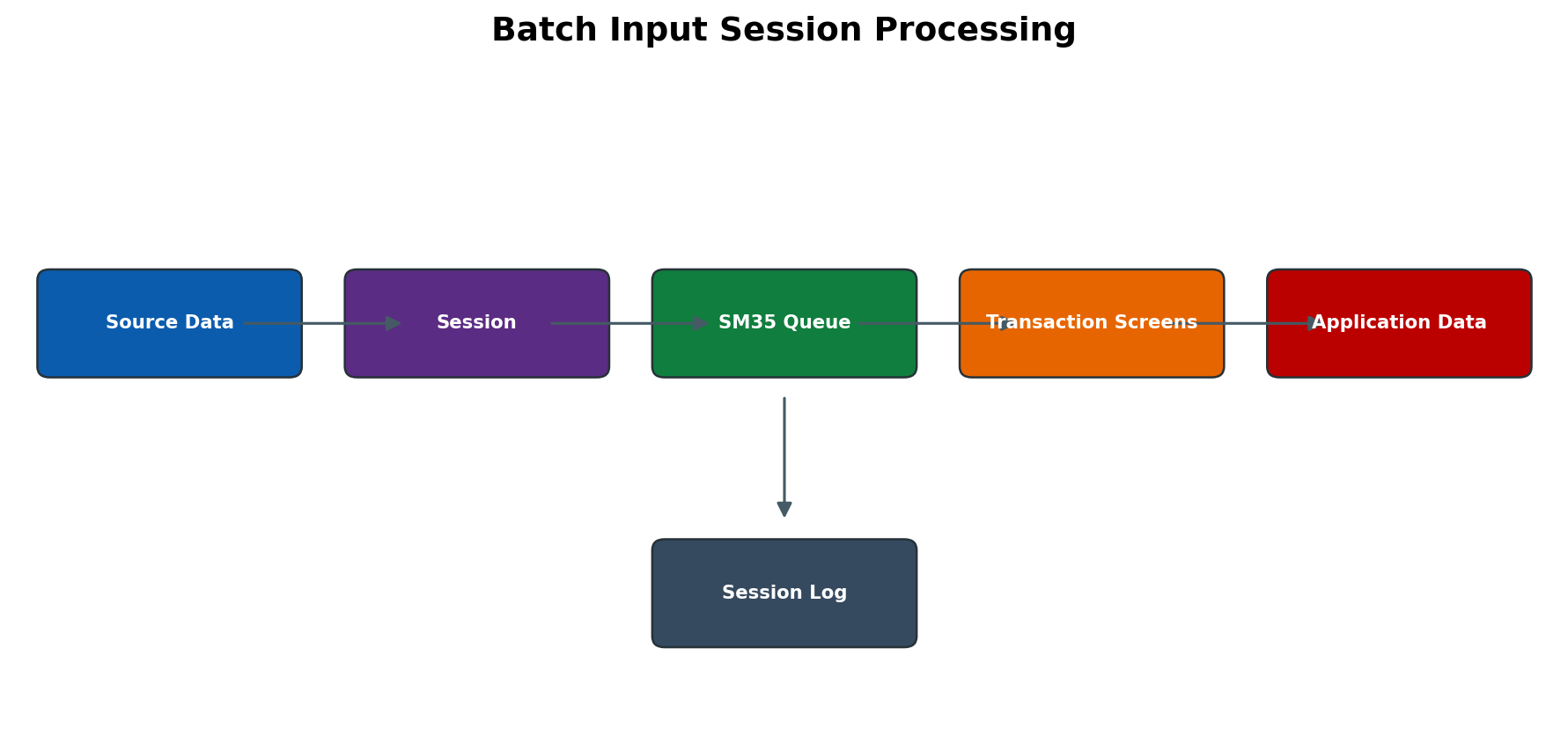
Figure 5.5 Batch input session processing
Batch Input Session Architecture
Batch input sessions store transaction-screen data for later processing using normal transaction checks and authorizations. A session has a creator, client, creation date, transaction sequence and keep/delete attributes. It is different from direct input or a simple background job, though a job may create/process sessions.
SM35 Monitoring and Processing Modes
SM35 displays new, processing, error and completed sessions. Foreground processing shows screens and is useful for controlled diagnosis; display-errors mode pauses only on errors; background mode processes unattended. Foreground processing can alter timing and should not be used casually for large productive sessions. Ensure the processing user has required authorization.
Session Logs Errors and Reprocessing
Open the session log and identify the first transaction/screen/field error. Common causes are changed screen flow, missing mandatory data, authorization, locks or invalid master/configuration data. Correct source or configuration cause. Reprocessing only failed transactions may be appropriate; repeating the complete session can duplicate successful postings. Reconcile application documents before deleting a session.
Detailed Technical Reference
Background Processing Tables and Reports
| Object | Purpose | Administrative rule |
| TBTCO | Job header/status and scheduling metadata | Use SM37 and supported APIs/reports; never update directly. |
| TBTCP | Job step definitions | Correlate program, variant, user and spool; do not edit directly. |
| TBTCS | Scheduler/control information depending on release | Use for expert analysis only with release knowledge. |
| BTCTRNS1 BTCTRNS2 | Suspend/resume jobs during controlled maintenance in classic landscapes | Use only documented procedure and validate exceptions. |
| Standard deletion reports | Remove old job/log metadata according to release | Use approved variants, retention and audit controls. |
Job Scheduling Capacity and Performance
Capacity planning considers arrival rate, average and peak runtime, required completion windows, class, eligible servers and database/resource concurrency. Ten jobs with available background work processes may still overload one database table or external interface. Use ST03N workload, SM37 history, job runtime, SM50/SM66 and DB metrics to stagger or parallelize safely. Do not optimize only for the shortest wall-clock time.
Event Based Scheduling and External Schedulers
Events decouple business signals from exact clock time. Maintain event names and ownership; ensure the event is raised exactly as intended and that repeated events do not create uncontrolled parallel jobs. External schedulers commonly use standardized interfaces such as BC-XBP. Define authority boundary: SAP owns program/variant and technical result; the scheduler may own calendars, chains, alerts and restart logic. Reconcile both systems during incidents.
Spool Technical Objects and Statuses
| Object or status | Meaning | Investigation |
| Spool request | Stored formatted output and attributes | Check existence, owner, TemSe data and output requests. |
| Output request | One transfer attempt to an output device | Open output log, device/server and host spooler status. |
| Waiting | Not yet processed or dependent on server/device | Check spool process and queue. |
| Processing | Spool work process handling output | Check process duration and host response. |
| Completed | SAP reports successful transfer/processing | Confirm physical/business delivery when required. |
| Error | Output transfer or formatting failed | Read exact output log before repeat. |
| Mixed | Multiple output requests have different states | Inspect each request; avoid duplicate reprint. |
Output Access Methods and Device Types
The access method defines the technical route, while device type controls output formatting. A technically reachable printer can produce unreadable output if the device type is wrong. Host-spool commands, print servers, cloud connectors or frontend components may sit outside SAP. Record exact queue, server, driver/device type, code page and page format. Test with non-confidential sample output and confirm characters, orientation and tray behavior.
Update V1 V2 and Local Update
V1 updates are processed before V2 within the update design and are expected to protect primary business consistency. V2 may update statistics or secondary data. SET UPDATE TASK LOCAL, when used by application code, executes update functions locally in the current work process with different operational visibility. Administrators should diagnose the actual update model and not assume every missing record will appear as a recoverable SM13 entry.
Lock Ownership Scope and Recovery
A lock key can cover a full object, client or generic range depending on the generated lock object and arguments. Deleting one visible entry can allow conflicting transactions while the original owner still runs. Enqueue restart/failover behavior depends on standalone enqueue server and replication design. After ASCS/ERS incidents, validate lock service, replication and application consistency, not only service availability.
Operational Shutdown Readiness
- No critical background job is active unless approved to continue or stop.
- Job scheduling is suspended through the approved method when maintenance requires it.
- SM35 sessions are not actively processing.
- SM13 contains no unexplained update backlog; open records and retry behavior are documented.
- Critical tRFC/qRFC/bgRFC and interface processing is paused or drained as planned.
- Spool work is complete or retained safely; printers will not duplicate output after restart.
- Business owners know which chains/events require manual restart or reconciliation.
Job Definition Quality Checklist
| Design area | Required decision | Failure prevented |
| Name and owner | Unique functional name, technical owner and business owner | Orphaned jobs and ambiguous incident routing. |
| Execution identity | Dedicated authorized user with validity and credential lifecycle | Canceled jobs after user lock/expiry or excessive privilege. |
| Program and variant | Approved program, protected variant and tested selection scope | Mass data selection, wrong client/company and inconsistent runs. |
| Start condition | Calendar/time zone/event/predecessor and missed-run behavior | Unexpected non-start, double start or holiday execution. |
| Concurrency | Overlap rule, application lock and maximum parallelism | Duplicate postings and database/resource storms. |
| Target | Server group or justified fixed server with failover approach | Ready jobs when a single instance is unavailable. |
| Output | Spool parameters, device, retention and confidentiality | Missing, duplicate or misdirected printed output. |
| Monitoring | Expected runtime, alert, retry and escalation | Silent failure and uncontrolled manual repetition. |
Background Work Process Selection
The background scheduler selects an eligible job when its start condition is met and assigns it to an available background work process. Selection considers class/priority, target restrictions and server capacity. The job transitions through scheduler states, but there can be a short delay between database status and visible process activity. Diagnose persistent behavior using repeated observations and timestamps instead of treating one refresh as proof.
Operation modes can convert compatible dialog/background work processes according to a timetable. A job that is Ready before the night switch may start when additional background capacity becomes available. If many jobs all become eligible at the same minute, scheduler capacity and database demand spike together. Stagger nondependent jobs, use classes sparingly and preserve capacity for operational/recovery jobs.
Job Chains Dependencies and Restart Semantics
A technical predecessor can mean start after the preceding job, but the scheduler condition may not understand whether the business result is valid. A predecessor with Finished status can still have application warnings or zero processed records. Critical chains should include application checkpoints and reconciliation, not only scheduler status. Document whether a successor may run after cancellation and who releases it manually.
Restart design must identify the smallest repeatable unit. Some reports are idempotent, some detect existing documents, and others create duplicates. A job with multiple steps may finish early steps before a later cancellation. Copying the whole job and starting immediately can repeat the completed steps. Review the step log and application commit behavior with the owner before deciding between step-level recovery, a new variant or full rerun.
Job Runtime Baseline and Alert Design
| Metric | Why it matters | Operational response |
| Start delay | Shows scheduler/capacity or target issue | Compare Ready duration, BTC processes, class and target. |
| Execution time | Detects workload/data/code/dependency change | Compare historical run, records and wait breakdown. |
| Records or documents processed | Separates useful work from empty or partial run | Reconcile application totals and selection. |
| CPU and DB time | Distinguishes compute from DB wait | Use workload/SQL evidence before tuning. |
| Spool size/pages | Detects runaway output and storage risk | Check variant, report logic, device and retention. |
| Cancellation rate | Identifies recurring data/config/infrastructure fault | Group by program/error and assign root-cause owner. |
| Chain completion time | Measures business deadline, not one job | Trace predecessor and downstream interface delays. |
Spool Request Number and Retention Considerations
Spool request identifiers are system-local and finite according to release/configuration. Very high creation rates plus weak deletion can create capacity and database/TemSe growth. Retention must balance operational usefulness, legal/audit needs and storage. Separate short-lived technical test output from regulated business output. Before shortening retention, confirm that users and auditors do not rely on SAP spool as the only copy.
TemSe Storage Modes and Consistency
TemSe objects can be stored according to configured database or filesystem mechanisms depending on release and object category. The administrative concern is consistent metadata and data, sufficient capacity and supported cleanup. A database backup may not automatically protect filesystem-based content unless included in the backup design. Conversely, restoring only files without corresponding metadata can create inconsistency. Document the active TemSe configuration and recovery scope.
Spool Server and Logical Server Design
A real spool server is associated with an application server that has a spool work process. A logical server can point to another logical or real server and supports mapping/failover designs. Avoid circular or unresolved mappings. Device assignments to one fixed instance ignore load balancing and fail if that server is unavailable. Test server failover by confirming both processing and correct host destination, not only that SP01 status becomes Completed.
Output Device Change Control
| Configuration field | Risk | Validation |
| Device type | Wrong formatting, code page or unsupported printer language | Test representative characters, forms, orientation and trays. |
| Access method | Incorrect communication route or security exposure | Confirm platform/release support and host-spool behavior. |
| Host printer or destination | Output sent to wrong physical queue | Physical confirmation by location owner with safe sample. |
| Spool server | No processing or unintended cross-site routing | Server availability, logical mapping and failover test. |
| Authorization group | Unauthorized users can select device/output | Test permitted and denied users. |
| Print immediately/delete after output | Loss of evidence or duplicate attempts | Confirm application/audit retention and recovery process. |
| Default format/tray | Operationally unusable forms | Validate each critical form and page format. |
Confidential Output Handling
Payroll, finance, HR and customer spool can contain sensitive data. Restrict SP01 selection and display through spool authorization objects and administrative roles. Use device authorization groups, secure print/queue controls and appropriate retention. Screenshots and incident attachments must mask content. When reprinting after an error, confirm whether the first output physically printed despite SAP receiving no success response; otherwise duplicate confidential copies can remain unattended.
Update Request Technical Analysis
An update header groups function modules registered within an SAP LUW. Failure text can point to one module, but the business transaction may involve multiple V1/V2 components. Read the complete update detail, not only the short message. A database rollback normally protects the failed database LUW, but application design or external calls can still create partial effects outside that LUW. Check document existence, number ranges, application logs and external systems before repeat.
Update Deactivation and Backlog Control
Update processing can be deactivated automatically after serious database/system errors or administratively during controlled operations. When inactive, new requests can accumulate. Determine why it is inactive before reactivation; otherwise the same failing workload may create a storm. Confirm update work processes are available, database health is stable and application owners are ready to monitor replay. Re-enable and observe backlog age and error rate in a controlled manner.
Lock Table Health and Enqueue Availability
The enqueue service maintains the logical lock table centrally. Capacity pressure, replication issues or enqueue restart can affect many applications. Monitor lock-table usage, rejected locks and ASCS/ERS health through the release-appropriate tools and alerts. Do not increase lock-table sizing merely because many locks exist; identify whether an application holds overly broad or long-lived locks. After failover, validate lock continuity and business processing.
Batch Input Session Control Fields
Session attributes include client, creator, creation/processing dates, queue ID, transaction count and processing status. Sessions can be retained after successful processing for audit or deleted automatically depending on creation parameters. Processing user and client must match the intended business context. After a system copy, disable or review sessions that could post stale source-system data.
Batch Input Versus Other Data Transfer Methods
| Method | Strength | Operational concern |
| Batch input session | Uses transaction screens/checks and provides session log/reprocessing | Sensitive to screen flow; duplicate risk during reprocessing. |
| CALL TRANSACTION | Immediate transaction processing from ABAP | Error handling is program-owned; may not create an SM35 session. |
| Direct input | Application-specific high-volume interface where supplied | Uses dedicated program/log and release-specific support. |
| BAPI or API | Business interface with defined semantics | Commit handling, return messages, RFC/security and idempotency. |
| IDoc | Asynchronous structured integration with monitoring | Status processing, partner profile, tRFC/qRFC and duplicate control. |
| File/interface framework | Flexible external integration | File security, sequencing, archiving and application reconciliation. |
Operational Daily Review
- Check critical job chains for late start, cancellation, abnormal runtime and missing successor.
- Review SM13 for terminated or aging update requests and confirm update service is active.
- Review critical locks/lock-table alerts, focusing on business impact rather than mass deletion.
- Check spool/output Error and Waiting trends, spool work processes, TemSe and host queues.
- Review failed or aging SM35 sessions and responsible application owners.
- Confirm housekeeping jobs themselves are running and not deleting required evidence.
- Record recurring patterns and create permanent problem records instead of repeating manual recovery.
Transaction, Table, Program and Parameter Reference
The objects below are diagnostic anchors, not a recommendation for direct table maintenance. Production changes must be made through supported transactions, application functions or SAP-provided reports. Table contents and fields can vary by release; use SE11 for the installed Data Dictionary definition and ST03N/STAD, SM50/SM66, ST22, SM21 and application logs to correlate runtime evidence.
Background Job Repository and Scheduler Objects
Background job administration separates header, step and scheduling information. TBTCO is commonly used as the job header/status table and TBTCP contains job-step data. Job name alone is not unique; the internal job count identifies one definition/run. Event-dependent scheduling additionally uses event definitions and event history structures that are release-dependent. Never update TBTCO or TBTCP with SQL or a table maintenance tool—scheduler consistency, successor relationships and logs can be damaged.
The runtime path is: start condition becomes due, the scheduler evaluates eligibility, a background work process is assigned, each step runs under its specified user, and job status is finalized. A status transition is technical evidence, not proof of business completion. A report can catch an application error, write a warning and still end technically Finished. The administrator must reconcile documents, files, interface acknowledgements or spool totals.
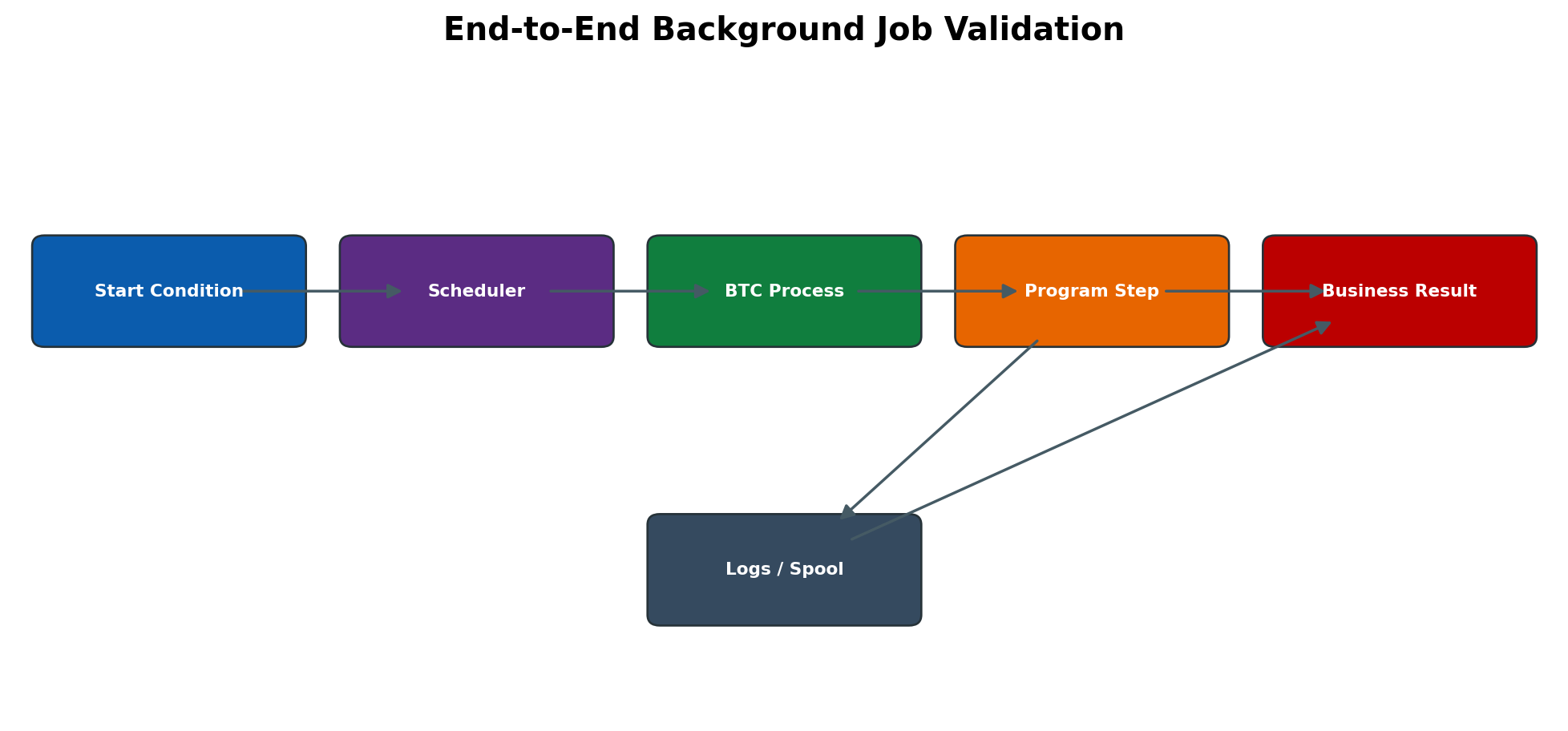
Figure 5.6 End-to-end background job validation
Job Class, Work Process and Server Selection
Classes A, B and C influence dispatching priority; they do not make inefficient SQL faster. Class A must be reserved for approved critical work. A job targeted to one unavailable instance can remain eligible without executing; a server group can provide controlled placement when configured for the release. Operation-mode changes may alter the number of background processes at specific times. Before increasing BTC processes, check CPU, memory, database concurrency, update capacity and downstream locks.
Event and External Scheduler Control
Event-started jobs remain Released until the named event is raised and recognized. Transactions such as SM62/SM64 are used in classic environments to maintain and administer background events, subject to release and authorization. The event name and optional parameter are exact identifiers; case, parameter value, client and timing matter. If an event occurs before the job is released, it may not start unless the design explicitly handles missed events.
External enterprise schedulers add another control plane. Record the external chain/run identifier, SAP job name and count, submission timestamp and callback/result. Determine which platform owns retry, calendar and predecessor logic. A manual SM37 repeat while the external scheduler is retrying can duplicate processing. Pause one retry path before using the other and document the hand-off.
Spool, TemSe and Output Technical Objects
TSP01 is the principal spool-request administration table; related output-request and device configuration objects differ by release. TemSe stores spool data as temporary sequential objects and can use database or filesystem-backed storage according to configuration. The request header can exist while its content is unavailable or inconsistent, so an SP01 list entry alone does not prove that preview or printing can succeed.
A spool request holds generated output. An output request records one delivery attempt to an output device. The output device points to a device type, access method, destination and spool server. The SAP spool work process converts/transfers the request, after which a host spooler, print server or remote service may queue it again. Each hop has its own status and log. Frontend printing depends on a user session and is not a dependable target for unattended background jobs.
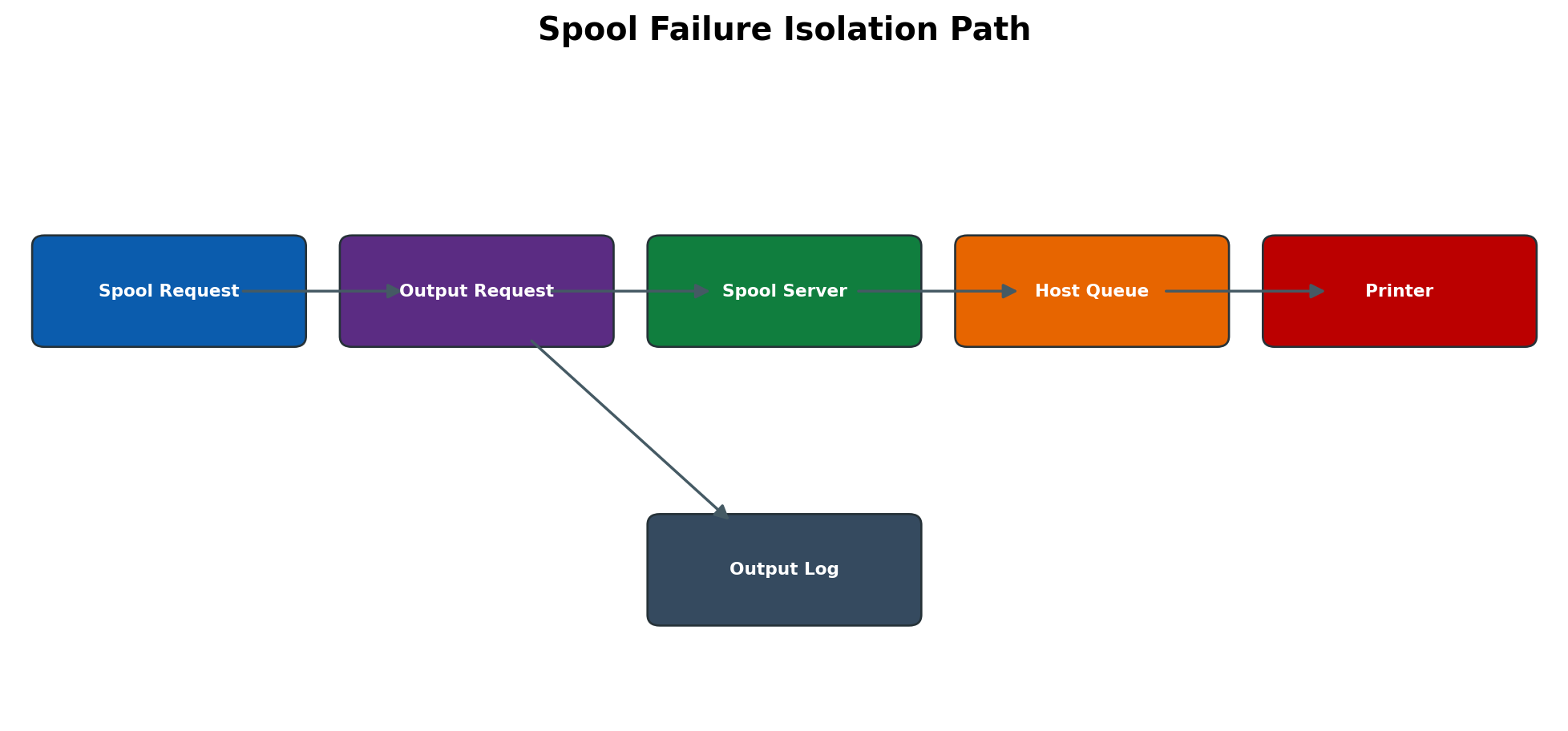
Figure 5.7 Spool failure isolation path
SP12 is commonly used for TemSe administration and consistency checks; SPAD administers output devices and spool servers; SP01 monitors spool/output requests. Standard reorganization reports such as RSPO1041 may be available, but selection fields and replacement reports are release-specific. Always test age/status criteria and retention needs before scheduling deletion. Deleting at operating-system or database level is unsupported and can orphan metadata or content.
Update and Enqueue Technical Objects
An SAP LUW can collect change requests and hand them to update processing at COMMIT WORK. V1 update modules are generally time-critical and must complete before logically dependent V2 work. V2 modules are typically secondary/statistical and can follow later. SET UPDATE TASK LOCAL is a program-controlled local-update behavior and must not be treated as a BASIS recovery switch. SM13 displays failed or waiting update records; SM14 provides update-system administration and status in classic AS ABAP.
Logical locks are owned by the enqueue service and keyed by lock object/argument rather than by database row-lock syntax. SM12 shows enqueue entries, owner information and lock arguments. A lock may outlive the visible dialog because an update, batch process, RFC or disconnected session is still active. Removing it only clears the logical lock; it does not roll back, complete or repair the underlying business transaction.
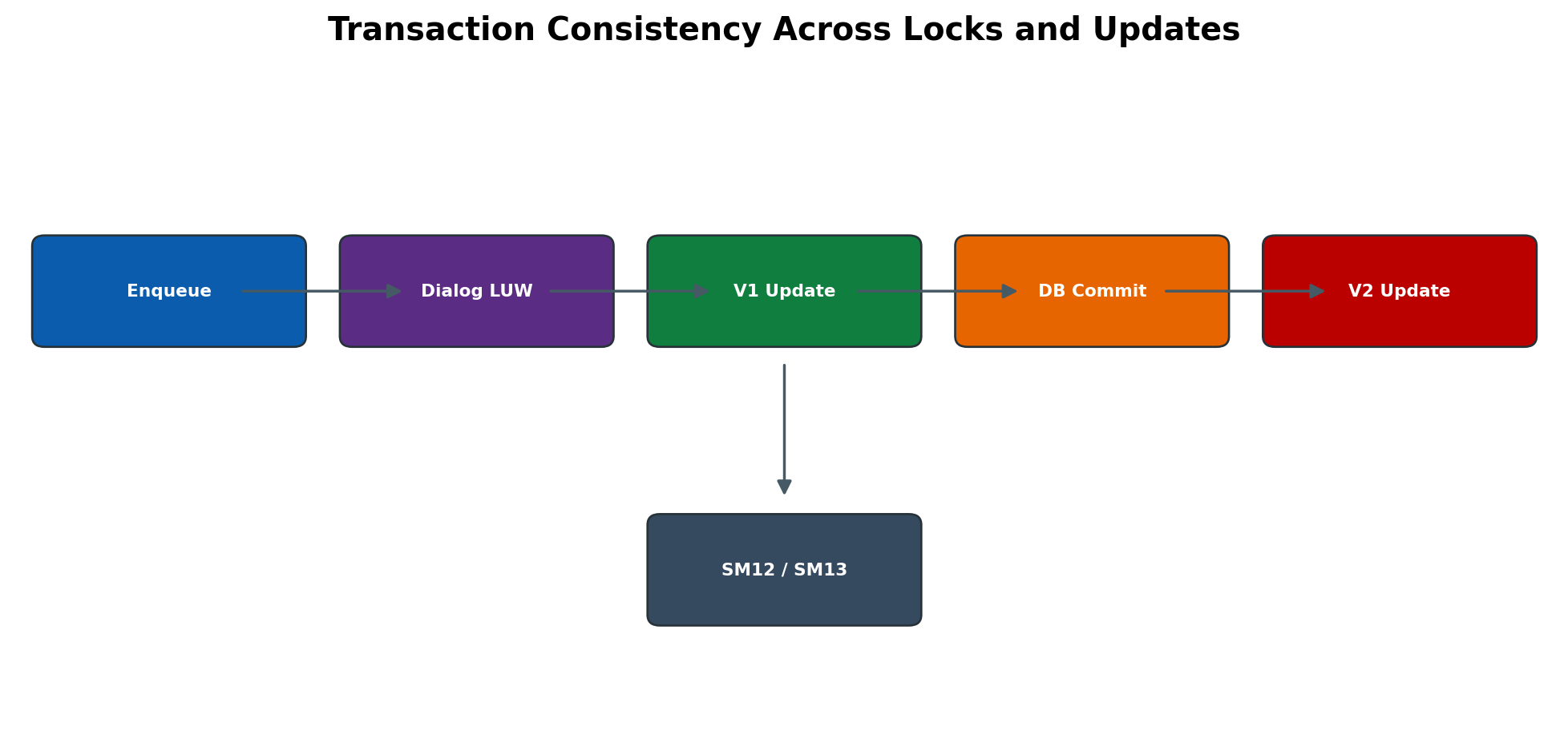
Figure 5.8 Transaction consistency across locks and updates
Update Repeat Safety
A terminated update must be understood before it is repeated. Check update header/module details, error text, user, transaction, timestamp and application document. Correlate ST22, SM21, database errors and application logs. Confirm whether any database change or external side effect already occurred. Repeat only when the application owner confirms idempotency or gives a supported recovery step. After repeat, verify the original document and ensure no duplicate posting exists.
Batch Input Technical Objects
Batch input sessions store transaction recordings and field values for later execution. SM35 is the control point for selecting, processing, analyzing and retaining sessions. Processing modes normally include foreground/display all screens, display errors only and background/no-display behavior; exact labels depend on release. Foreground is best for diagnosis because it shows the transaction screen and message at the failure point, but it changes timing and requires careful operator action.
A partly processed session is not equivalent to an unprocessed file. Some transactions may already have committed successfully. Before restarting, read the session log, identify completed and failed transactions, reconcile application documents, and choose the supported reprocessing scope. Recreating the entire session without deduplication can post the successful records again. Screen variants, mandatory-field changes, authorization checks, popup changes and customizing are common reasons why an old recording fails after an upgrade.
System Copy and Shutdown Operational Safeguards
A copied or refreshed system can inherit production jobs, printers, RFC destinations, events and batch-input sessions. Before releasing users, suspend outbound schedulers, review Released/periodic jobs, redirect or deactivate output devices, isolate interfaces and confirm logical-system/post-copy controls. Otherwise a non-production system can send real files, messages or confidential print output.
Before planned shutdown, identify critical Active jobs, update backlog, batch sessions and spool transfers. Agree whether each task must finish, can be canceled safely or will be restarted by an external scheduler. After startup, check update activation, enqueue health, background capacity, Released/Ready jobs and output devices before resuming business chains. A process list that is green is necessary but not sufficient.
Expanded Administration Procedures
Schedule a Time-Based ABAP Job
- 1. Open SM36 → Job name and Job class. Enter an operational name and approved class; use class A only under the documented critical-job policy.
- 2. Choose Step → ABAP program. Enter the executable report, approved variant and step user; save the step. For multiple steps, confirm their order and that a failed predecessor does not allow unsafe continuation.
- 3. Choose Start condition → Date/Time. Enter the planned date, time and periodic values if required; verify system time zone, calendar and overlap behavior.
- 4. If placement is required, set the approved target server or server group. Avoid a single-instance dependency unless the design requires it.
- 5. Save and release the job. Result: the job becomes Released until its time is due, then Ready while waiting for capacity and Active during execution.
- 6. Open SM37 → enter Job name/User/From–To time → select Released, Ready, Active, Finished and Canceled as relevant → Execute. Confirm job count, planned start, actual start, server and status.
- 7. After completion, open Job log and Spool list. Validate the application document/file/interface result and check that no duplicate periodic run exists.
Schedule an Event Job and Prove Event Delivery
- 1. Confirm the approved event name and optional parameter in the event administration used by the installed release. Record which application or external scheduler raises it.
- 2. SM36 → create job → define Step → Start condition → After event. Enter the exact event and parameter, and set periodic behavior only when the design expects repeated event reactions.
- 3. Save/release, then verify in SM37 that the job is Released—not merely Scheduled—and that its start-condition details match.
- 4. Raise the event through the supported application/test method in a controlled environment. Do not repeatedly trigger production while diagnosing.
- 5. Check event history/administration and SM37 timestamps. If the event is present but the job did not start, compare client, parameter, release time and scheduler availability.
- 6. Validate one and only one job execution and confirm the downstream business result.
Trace a Finished Job to the Business Result
- 1. SM37 → select the exact job by name, user, date range and Finished status → Execute. Use job count to avoid confusing same-name runs.
- 2. Open Job log. Record each step, start/end time, informational/warning messages and referenced spool/application log.
- 3. Open Step details and confirm program, variant, execution user and target server match the approved definition.
- 4. If spool exists, open it and reconcile totals. If an interface is expected, verify file/RFC/message acknowledgement and downstream receipt.
- 5. Use the application transaction or document table to confirm committed objects and error/exception totals. Finished is accepted only when this business check passes.
- 6. Record evidence and close the incident; if warnings indicate partial processing, route to the application owner instead of blindly repeating the job.
Diagnose a Long-Running Active Job
- 1. SM37 → select Active → identify exact job count, current step, runtime and executing server. Compare runtime with the job baseline.
- 2. Open Job log and Step details. Determine whether progress messages or package counters continue to change.
- 3. SM50 on the executing instance or SM66 system-wide → locate the step user/program. Record work-process action, report and wait reason; do not cancel yet.
- 4. Check SM12 for blocking locks, SM13 for update pressure, ST22/SM21 for errors and database/SQL monitoring for expensive statements or waits. Check RFC or filesystem destinations if the program depends on them.
- 5. Ask the application owner whether the job is restartable and whether partial results are committed. Decide to wait, correct a dependency, or cancel under approved procedure.
- 6. After intervention, validate business consistency and compare the next controlled run with the baseline.
Isolate Spool Delivery Failure
- 1. SP01 → enter request owner/date/output device/status → Execute. Open the exact spool request and confirm that content can be displayed.
- 2. Open Output requests. If none exists, review print-immediately/output parameters and create a controlled output request only with authorization.
- 3. Open Output log; record message, device, access method, spool server and destination. Determine whether failure is inside SAP transfer or after hand-off.
- 4. SPAD → Display output device and spool server. Confirm device type, access method, destination and assigned server; avoid saving changes during diagnosis.
- 5. Check spool work-process availability and instance health, then check the host/print-server queue and network/DNS path with the platform team.
- 6. After correction, resend once and verify the new output request reaches Complete/printed status. Prevent duplicate physical output before retry.
Check TemSe Consistency and Growth
- 1. Record current spool-request counts, oldest requests, storage growth and any SP01 display/output errors. Preserve audit or legal-hold requirements.
- 2. Use SP12 or the release-supported TemSe administration function → run consistency check in analysis mode first. Save the result and distinguish orphan metadata, missing content and capacity problems.
- 3. Confirm whether storage is database- or filesystem-backed and check the relevant database tablespace/filesystem without deleting files.
- 4. Review scheduled spool reorganization and its age, client, owner and status filters. Confirm that the standard report is valid for the release.
- 5. Correct the root cause, then run approved repair/reorganization during a controlled window.
- 6. Recheck consistency, free space, new spool creation, preview and one test output request.
Handle Update Deactivation or Backlog
- 1. SM13 → select by client/user/date/status → Execute. Determine whether failures are isolated to one application/module or growing system-wide.
- 2. Check SM14/update administration for activation state and update work-process availability; check SM50/SM66, SM21 and ST22 for common infrastructure errors.
- 3. Open one representative update record and record transaction, user, time, modules and exact error. Correlate database availability, tablespace/log capacity and locks.
- 4. Stop or throttle the producing business process if backlog growth risks consistency. Do not mass-repeat while the cause remains.
- 5. Correct the confirmed cause and obtain application approval for repeat/delete decisions. Reactivate update service only according to change/incident control.
- 6. Process a small controlled sample, validate business documents and duplicates, then monitor backlog decline and update runtime.
Process an SM35 Session Without Duplicates
- 1. SM35 → filter by session name, creator and date → Execute. Record session status, transaction count, creation source and retention flag.
- 2. Open Session log before processing. Reconcile any already-successful transactions with application documents.
- 3. For diagnosis, Process → choose foreground/display all screens or errors-only as appropriate. Stop at the failing transaction and capture screen, field and message without changing successful data.
- 4. Correct master data, authorization, customizing or recording mismatch through the owning process. Do not edit application tables.
- 5. Reprocess only the failed/unprocessed scope supported by the session and application. Use background mode only after the foreground diagnosis is stable.
- 6. Review the new log, reconcile successful and failed counts, check for duplicates and retain evidence according to policy.
| Area | Transaction / object | What to verify | Unsafe shortcut to avoid |
| Job scheduling | SM36 | Header, class, step user, program/variant, start condition, target | Releasing an untested broad variant |
| Job monitoring | SM37; TBTCO/TBTCP diagnostic reference | Job count, planned/actual times, status, step, server, job log/spool | Direct table updates or deleting evidence early |
| Events | SM62/SM64 where applicable | Exact event/parameter, release timing, one trigger | Repeated production event tests |
| Spool monitoring | SP01; TSP01 diagnostic reference | Spool vs output request, log, device, status, content | Assuming Finished means physically printed |
| Output configuration | SPAD | Device type, access method, destination, spool server | Copying a production printer destination unchanged |
| TemSe | SP12; release-supported reorganization | Consistency, storage capacity, retention | OS/database file deletion |
| Updates | SM13/SM14 | Module, error, activation, update WP, business document | Mass repeat/delete without idempotency check |
| Locks | SM12 | Owner, client, lock argument, session/update activity | Deleting a lock because its age looks old |
| Batch input | SM35 | Processed/unprocessed records, log, mode, documents | Restarting full session and duplicating successes |
Safe Administration Procedures
Create and Validate a Background Job
- 1. Confirm program, variant, step user, authorization, frequency, dependency, runtime and business owner.
- 2. In SM36 enter a meaningful job name, class and optional target/server group.
- 3. Define the ABAP or approved external step and verify user/variant.
- 4. Define date/time, immediate, event, predecessor or periodic start condition.
- 5. Save and release according to authorization/workflow.
- 6. In SM37 confirm job count, status, next start, target and step details.
- 7. After execution review job log, spool/application log and business result.
Diagnose a Job Stuck in Ready
- 1. Record job name/count, scheduled time, class, target and duration in Ready.
- 2. Confirm start condition is met and job is truly Ready, not Released for a future time.
- 3. Check available background work processes in SM50/SM66 and current operation mode.
- 4. Verify target server/server group is active and eligible.
- 5. Check higher-priority workload and scheduler/system-log issues.
- 6. Correct capacity/target/scheduler cause through approved change; do not repeatedly release copies.
- 7. Validate that the original job starts once and completes with correct result.
Analyze a Canceled Job
- 1. Open SM37 job log and identify failing step and first message.
- 2. Record program, variant, user, server, start/end and spool IDs.
- 3. Check ST22, SM21, SM13, SM12, database/RFC/application logs for the same timestamp.
- 4. Determine partial processing and duplicate risk with the application owner.
- 5. Correct root cause in data, authorization, program or infrastructure.
- 6. Repeat only the approved scope and validate business reconciliation.
Configure and Test an Output Device
- 1. Obtain approved printer/queue, location, owner, device capability, access method and spool server.
- 2. In SPAD create/copy the output device and replace every environment-specific field.
- 3. Select the correct device type, host destination/access method and server/logical server.
- 4. Save and run a controlled test with non-confidential content.
- 5. In SP01 inspect spool/output status and log; verify the physical output format.
- 6. Document support owner, failover, security and change transport/process.
Analyze a Spool Error
- 1. Record spool/output request, owner, device, server, status and timestamp.
- 2. Open output log to classify formatting, SAP spool, host spooler, network or printer failure.
- 3. Check spool work process and SPAD device/server definition.
- 4. Check host queue/service and device reachability with infrastructure owner.
- 5. Correct the failed layer and repeat only the intended output request.
- 6. Confirm one correct output, no duplicate confidential print and stable following requests.
Recover a Failed Update Safely
- 1. In SM13 select exact client/user/time and record update key/modules/error.
- 2. Check ST22, SM21, database, locks and application logs.
- 3. Determine whether any business document or partial data exists.
- 4. Obtain application-owner confirmation that repeat is safe.
- 5. Correct root cause and repeat the selected update through supported SM13 action.
- 6. Reconcile the business transaction and monitor new updates.
Investigate and Remove a Stale Lock
- 1. Record exact SM12 lock owner, client, lock object/table, argument and age.
- 2. Check user sessions, work processes, jobs, updates, RFC queues and application context.
- 3. Contact owner or application team and prefer normal completion/cancellation.
- 4. Delete only the confirmed stale entry under approved recovery.
- 5. Repeat original transaction and verify no inconsistency or duplicate update.
- 6. Monitor for recurrence and document root cause.
Process a Batch Input Session
- 1. Record session, client, creator, transaction count and status.
- 2. Open log and identify first error before processing.
- 3. Confirm processing user authorization and business approval.
- 4. Use display-errors or foreground only for controlled diagnosis; otherwise approved background processing.
- 5. Correct data/configuration/screen-flow cause and reprocess only safe failed scope.
- 6. Reconcile created documents and retain the log before deletion.
Security and Operational Controls
Restrict S_BTCH_JOB, S_BTCH_NAM, S_BTCH_ADM, S_SPO_ACT, S_ADMI_FCD and transaction/OS command authorizations according to role. Protect job variants, spool content, printer destinations and batch input data because they can contain personal or financial information. Separate schedule/change approval from execution for critical jobs. Never use SAP_ALL or shared dialog users as a permanent background solution. Retain incident evidence and mask sensitive output in tickets.
Common Errors and Solutions
Detailed Error Resolution Runbooks
Job Remains in Ready
Symptom: Start condition is met but job does not become Active.
Likely causes: No free/eligible BTC process, inactive target server/group, operation-mode capacity, class congestion or scheduler issue.
Detailed diagnosis: Confirm status/time/target; inspect SM50/SM66, RZ04/RZ03, servers and system log.
Corrective solution: Restore eligible capacity/target or scheduler; avoid duplicate job copies.
Validation: The original job starts once and completes within its window.
Job Remains Released
Symptom: Job is eligible-looking but planned start does not occur.
Likely causes: Future time/time-zone, missing event, unmet predecessor, periodic calculation or release condition.
Detailed diagnosis: Open start-condition details; check time zone, event history and predecessor job count/status.
Corrective solution: Correct the condition or raise/release only through approved process.
Validation: Next planned start is correct and one intended run occurs.
Job Is Canceled with ABAP Dump
Symptom: SM37 shows Canceled and ST22 contains a dump.
Likely causes: Program defect, memory, timeout, authorization, data inconsistency or DB/RFC error.
Detailed diagnosis: Correlate job step/user/server with ST22 and job log; check partial business result.
Corrective solution: Correct application/infrastructure cause; repeat only after owner approval.
Validation: No dump recurs and business reconciliation passes.
Job Is Active for an Unusually Long Time
Symptom: Runtime exceeds baseline or window.
Likely causes: Large selection, SQL/DB wait, lock, RFC wait, infinite loop or resource pressure.
Detailed diagnosis: Locate work process in SM50/SM66; inspect action, wait, SQL, locks and workload history.
Corrective solution: Correct query/data/dependency or reschedule; cancel only if safe.
Validation: Runtime returns to baseline and no partial/duplicate work exists.
Periodic Job Creates Overlapping Runs
Symptom: New occurrence starts before previous run completes.
Likely causes: Period shorter than runtime, independent recurrence or delayed workload.
Detailed diagnosis: Compare job counts/times and application lock behavior.
Corrective solution: Use predecessor/non-overlap design or adjust schedule/capacity with owner.
Validation: Only permitted concurrency occurs and backlog clears.
Job Finished but Business Output Is Missing
Symptom: Scheduler status Finished but expected document/file/result absent.
Likely causes: Application handled error as warning, wrong variant/client, empty selection, spool/file/RFC failure.
Detailed diagnosis: Read job and application logs, variant, spool, file/RFC target and reconciliation data.
Corrective solution: Correct business selection/downstream layer; rerun approved scope.
Validation: Expected result exists and totals reconcile.
No Spool Request Created
Symptom: Job/report finishes without expected spool.
Likely causes: Program does not write list, output parameter, variant, authorization or application path.
Detailed diagnosis: Check job step/spool parameters, log and program behavior.
Corrective solution: Correct variant/output/application configuration; do not create dummy print retries.
Validation: One expected spool is created and content is correct.
Spool Request Has Error Output
Symptom: SP01 shows Error for output request.
Likely causes: Device/access method, spool server, host spooler, network, format or authorization.
Detailed diagnosis: Open exact output log and separate SAP formatting from host/device failure.
Corrective solution: Repair failed layer and repeat only the output request.
Validation: One output completes without duplicates.
Spool Request Stays Waiting
Symptom: Output request does not progress.
Likely causes: No spool WP, server unavailable, device paused or queue backlog.
Detailed diagnosis: Check SP01 queue, SM50 spool process, SPAD server/device and host spooler.
Corrective solution: Restore server/process/device or rebalance through approved design.
Validation: Queue drains and new requests process normally.
TemSe or Spool Database Inconsistent
Symptom: Spool display/read fails or consistency check reports orphaned objects.
Likely causes: Interrupted delete, storage issue, manual file deletion or database/TemSe mismatch.
Detailed diagnosis: Preserve error and run supported SPAD consistency analysis; check storage and logs.
Corrective solution: Use SAP-supported consistency repair/reorganization after backup/impact review.
Validation: Consistency check passes and valid spools remain readable.
Update Terminated in SM13
Symptom: Update request has error and business data is incomplete.
Likely causes: Program exception, lock, DB/authorization, data or configuration problem.
Detailed diagnosis: Record modules/error and correlate dump/log/lock/database; assess partial data.
Corrective solution: Correct cause and repeat only with application-owner approval.
Validation: Transaction is complete exactly once and no new failure appears.
Update Backlog Grows
Symptom: Many update requests wait in initial state.
Likely causes: Update WPs unavailable/busy, update deactivated, DB/lock bottleneck or mass workload.
Detailed diagnosis: Check SM13 age/rate, SM50 update WPs, system log, DB and workload.
Corrective solution: Restore update service/capacity or remove bottleneck; do not mass-repeat blindly.
Validation: Backlog drains in controlled order and new updates stay current.
Business Object Is Locked
Symptom: User/job cannot change object due to logical lock.
Likely causes: Valid concurrent work, hung session, failed update/RFC or orphan after incident.
Detailed diagnosis: Check exact SM12 owner/argument plus session, process, update and job context.
Corrective solution: Allow owner to finish or remove only confirmed stale lock.
Validation: Original work completes without inconsistency.
Batch Input Session Is in Error
Symptom: SM35 session stops on transaction screen error.
Likely causes: Screen change, missing/invalid field, authorization, lock or configuration.
Detailed diagnosis: Open session log and process a controlled error in display mode; identify first failed transaction.
Corrective solution: Correct source/config/auth and reprocess safe failed scope.
Validation: All intended documents exist once and log is retained.
External Command Job Fails
Symptom: Job log shows OS command/program failure.
Likely causes: SM69 definition, host/OS user, path, permissions, environment, parameters or exit code.
Detailed diagnosis: Review job log, command definition and OS log without exposing secrets.
Corrective solution: Correct approved command/host/security; avoid embedding credentials.
Validation: Command returns accepted code and intended file/process result is verified.
Event Job Never Starts
Symptom: the event producer reports success, but the job stays Released. Likely causes: event/parameter mismatch, job was not released when the event occurred, wrong client/context, scheduler interruption or external scheduler ownership. Diagnosis: inspect start-condition detail, event evidence and timestamps; prove the exact event value. Solution: correct definition or producer mapping and raise one controlled event. Validation: one job becomes Active/Finished and the business result occurs once.
Target Server or Server Group Is Unavailable
Symptom: due jobs remain Ready or do not execute during instance maintenance. Cause: hard-coded target, invalid group membership or no eligible BTC capacity. Diagnosis: compare job target with active instances, background processes and operation mode. Solution: restore the intended server or change future definitions through approved scheduling design; do not alter an Active run. Validation: controlled job dispatches to an eligible server and workload remains stable.
External Scheduler and SAP Both Retry
Symptom: two jobs process the same business window. Cause: enterprise scheduler retry overlaps a manual SM37 repeat or SAP periodic recurrence. Diagnosis: correlate external run ID, SAP job counts, submission timestamps and application keys. Solution: pause one control plane, cancel only the safe duplicate and reconcile partial output. Validation: one authoritative chain remains and duplicate-prevention keys are confirmed.
Update System Is Deactivated
Symptom: SM13 backlog increases and business saves do not complete normally. Cause: update service deactivation, unavailable update work processes or a serious database/system fault. Diagnosis: check SM14/status, SM50/SM66, SM21, ST22 and database health. Solution: remove the root cause, reactivate only under authorized incident control and process a small sample. Validation: new updates complete, backlog decreases and documents reconcile without duplicates.
Enqueue Service or Lock Table Is Unavailable
Symptom: widespread lock errors or inability to create locks, often across applications. Cause: ASCS/enqueue outage, HA transition, capacity exhaustion or communication failure. Diagnosis: check central-service process state, system log, instance traces and HA ownership; do not treat it as individual stale locks. Solution: restore enqueue service using the approved HA/start procedure and involve SAP/application owners for consistency review. Validation: locks can be created/released and critical transactions pass.
Frontend Printer Used by an Unattended Job
Symptom: spool is created but no physical output appears until a user logs on, or output remains waiting. Cause: frontend access method requires an active frontend context. Diagnosis: inspect SP01 output log and SPAD access method. Solution: assign an approved server-side output device to the background job/variant. Validation: the next unattended run transfers without a dialog session and reaches the intended queue.
System Copy Starts Production Jobs or Output
Symptom: a refreshed non-production system schedules real outbound work or prints to production. Cause: copied Released jobs, events, destinations or output-device configuration. Diagnosis: immediately identify active/released jobs, outbound connections and output requests. Solution: isolate interfaces, suspend schedules, redirect devices and execute the approved post-copy checklist. Validation: no external production endpoint receives test data and all re-enabled jobs use non-production targets.
Diagnostic Decision Process
- 1. Define business symptom, client, job/spool/update/lock/session identifier and timestamp.
- 2. Classify the failing layer: scheduling, capacity, program, database, lock, update, spool formatting, host spooler, output device or batch-input data.
- 3. Preserve job log, spool/output log, update record, lock entry or session log before intervention.
- 4. Correlate SM37/SP01/SM13/SM12/SM35 with SM50/SM66, ST22, SM21, DB/RFC and application evidence.
- 5. Determine partial completion, duplicate risk and safe restart scope with the application owner.
- 6. Correct the root cause and use the smallest supported recovery action.
- 7. Validate technical status and reconcile the original business result.
- 8. Document cause, action, evidence, retention and preventive improvement.
Practical Scenario
Month End Job Chain with Lock Update and Spool Failures
A month-end job remains Active beyond its normal runtime. SM50 shows it waiting on a lock owned by an update record that terminated in SM13. A previous operator deletes the lock, but the job later cancels and its report output remains in SP01 Error because the output device points to a retired host queue. The correct response treats the update, lock, job and spool as separate but connected layers.
Controlled Response
- 1. Pause successor/repeat scheduling and record all job counts, logs, update key, lock and spool/output IDs.
- 2. Confirm the terminated update owns the business object and assess partial posting with the application owner.
- 3. Correct the update root cause, then repeat the approved update and verify the lock releases normally.
- 4. Restart only the failed job step or approved job scope and monitor DB/lock runtime.
- 5. Correct the SPAD host destination through change control and test non-confidential output.
- 6. Repeat only the intended output request, not the business posting job.
- 7. Reconcile month-end documents/totals and ensure one printed output.
- 8. Update monitoring to alert on SM13 termination, long job runtime and spool Error status.
Expected Results and Validation
- Jobs start under the correct condition, user, class and eligible server and finish within accepted windows.
- Job logs, application logs and business results agree; no duplicate processing exists.
- Spool and output requests are distinguishable, traceable and delivered once to the intended device.
- Update records complete normally or are recovered with business-owner approval.
- Locks represent active work and stale entries are removed only after full ownership checks.
- Batch input sessions process the approved transactions once with retained logs.
- Housekeeping preserves required audit evidence while controlling growth.
Summary
Background jobs, spool, updates, locks and batch input form an operational chain that crosses scheduler, work process, database, enqueue and external output layers. Reliable BASIS work depends on using the correct monitor, preserving evidence, separating technical completion from business success and avoiding recovery actions that create duplicates or data inconsistency.
Key Takeaways
- A Ready job is waiting for eligible background capacity; Released usually waits for its start condition.
- Finished does not prove the business result; read logs and reconcile output.
- One spool request can produce multiple output requests.
- Frontend printing is not suitable for unattended background processing.
- Never repeat terminated updates or delete locks without application-context checks.
- SM35 reprocessing can duplicate already successful transactions.
- Job, spool and TemSe housekeeping must follow retention and audit policy.
- Every recovery ends with the original business test and duplicate check.
Content Coverage Validation
This chapter covers classic SAP background processing, SM36/SM37 scheduling and monitoring, spool/output administration with SP01/SPAD and TemSe, update and lock services with SM13/SM12, and batch input with SM35. It expands the source material with current operational governance, detailed procedures, security controls, capacity planning and error-resolution runbooks. Release-specific scheduler frameworks and output-management products must be verified for the installed system.